A short overview of what changed in ReCo, what shipped most recently, and which improvements matter most for recruiters and headhunters.
Major
Product milestone
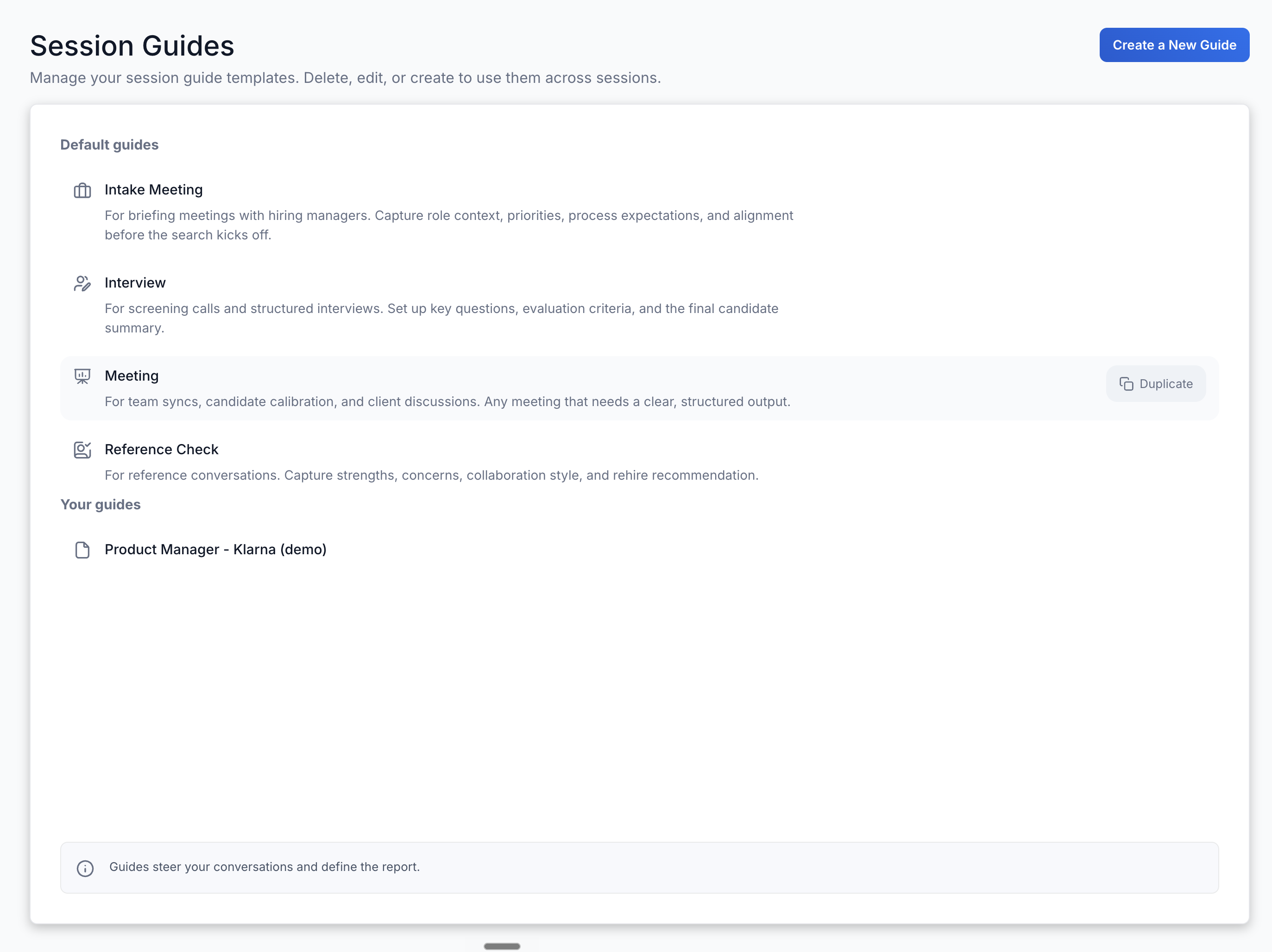
Meeting Guide, use ReCo beyond the interview
ReCo now includes a new default session guide: Meeting, which is built for the conversations that happen around hiring: team syncs, candidate calibrations, client discussions, and other hiring-related meetings.
You can use the same transcript capture and structured output you already rely on in interviews, now for any meeting that needs a clear record.
Improved
Workflow and UX upgrades
Easier job description attachment in Session Guides
We added a bigger, easier-to-find component for attaching a job description in Session Guides. This makes it easier to give ReCo the role context it needs before the interview or meeting starts.
Other convenient login methods
We also added other convenient login methods: Microsoft, LinkedIn, and Apple.
Trial, no credit card required
You can now start a ReCo trial without entering any payment details. It is easier to try ReCo before making a decision, and simpler to invite fellow recruiters to test ReCo in their daily work.
More polished Quick Action hover states
Quick Actions now have clearer, more polished hover states, making them easier to discover and use.
Major
Product milestone
Trial tier - try ReCo before you commit
New users can now explore ReCo with a trial before subscribing.
Lower barrier to entry, same full experience from day one.
New
Product capabilities
Demo Session for new users
Every new account comes pre-loaded with an example Session so users can immediately see what ReCo looks like with real data before recording their first call.
Major
Product milestone
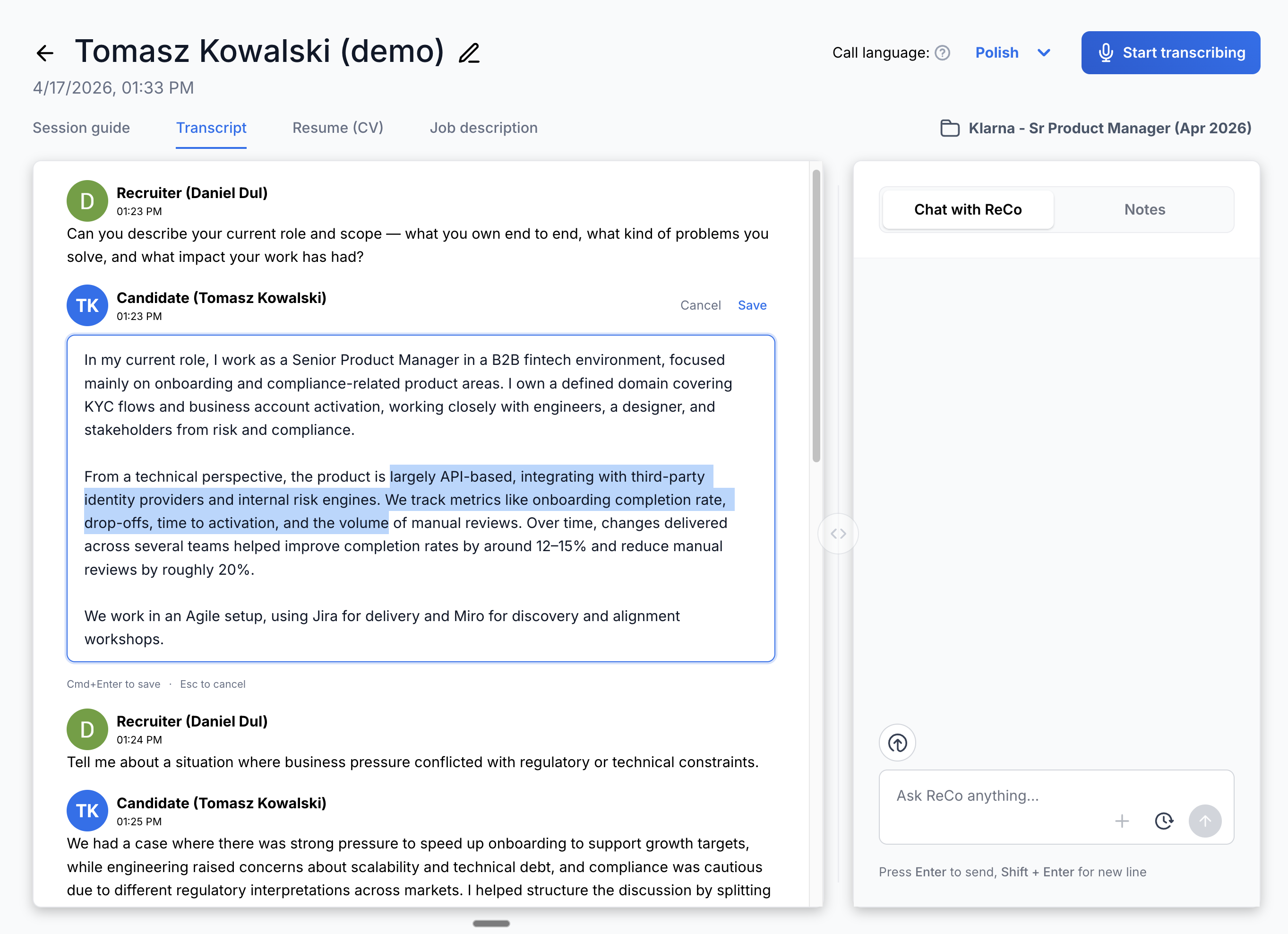
Edit Transcript words before AI processing
Specific words in the Transcript can now be corrected inline before they are used by ReCo.
This is useful for simple corrections, like a misheard company name or role title.
It also supports compliant workflows: if someone starts sharing health information or another sensitive detail during the call, recruiters can remove that part before sending the Transcript to AI.
New
Product capabilities
Session Guide deletion from Session view
Session Guides can now be deleted directly from the Session view without switching context.
Improved
Workflow and UX upgrades
Scrollable Chat with ReCo history
The Chat with ReCo history list now stays usable when there are many past conversations.
Wider report template dropdown
The report template dropdown is wider, and hover tooltips show complete names when content is too long.
Language selector UI fix and tooltip
The language selector UI was adjusted and now includes a clearer tooltip.
Demo Session refinements
The Demo Session now has the correct speaker label and a more polished Session Guide template.
Fixed
Reliability and polish
Session action dropdown behavior
Fixed inconsistent Cancel dropdown behavior in Sessions.
Google Meet Transcript reconnects automatically
The Transcript now reconnects automatically, so there is no need to manually refresh Google Meet mid-interview.
Major
Product milestone
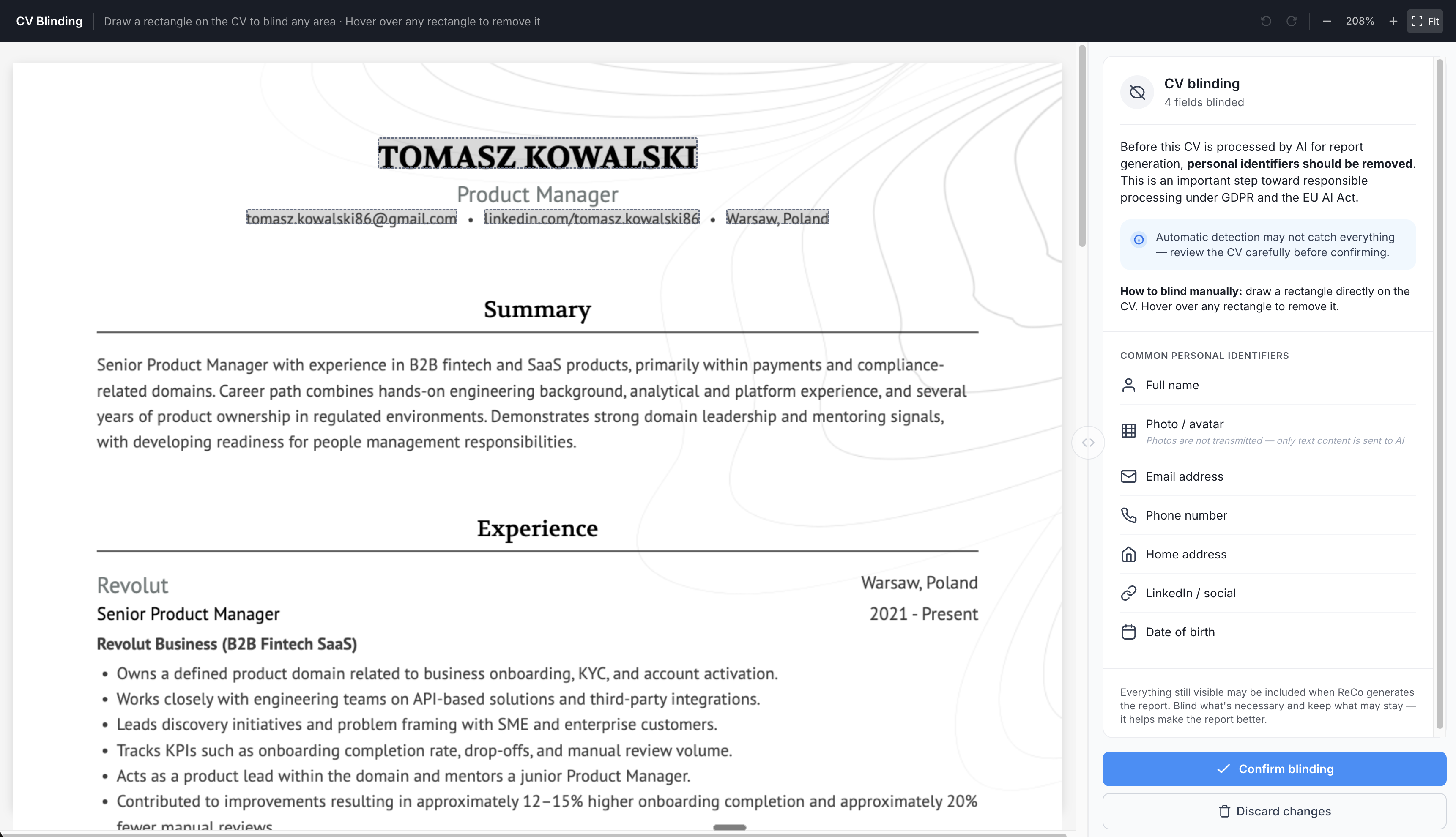
CV Blinding - use AI with GDPR and compliance in mind
You can now anonymize a candidate's Resume (CV) before it is processed by AI.
ReCo helps remove names, photos, contact details, and other personal identifiers before generating output, so recruiters can benefit from AI while keeping sensitive candidate data under control.
The compliance step is built directly into the ReCo workflow, making responsible AI use easier to follow instead of something recruiters have to remember outside the product.
Improved
Workflow and UX upgrades
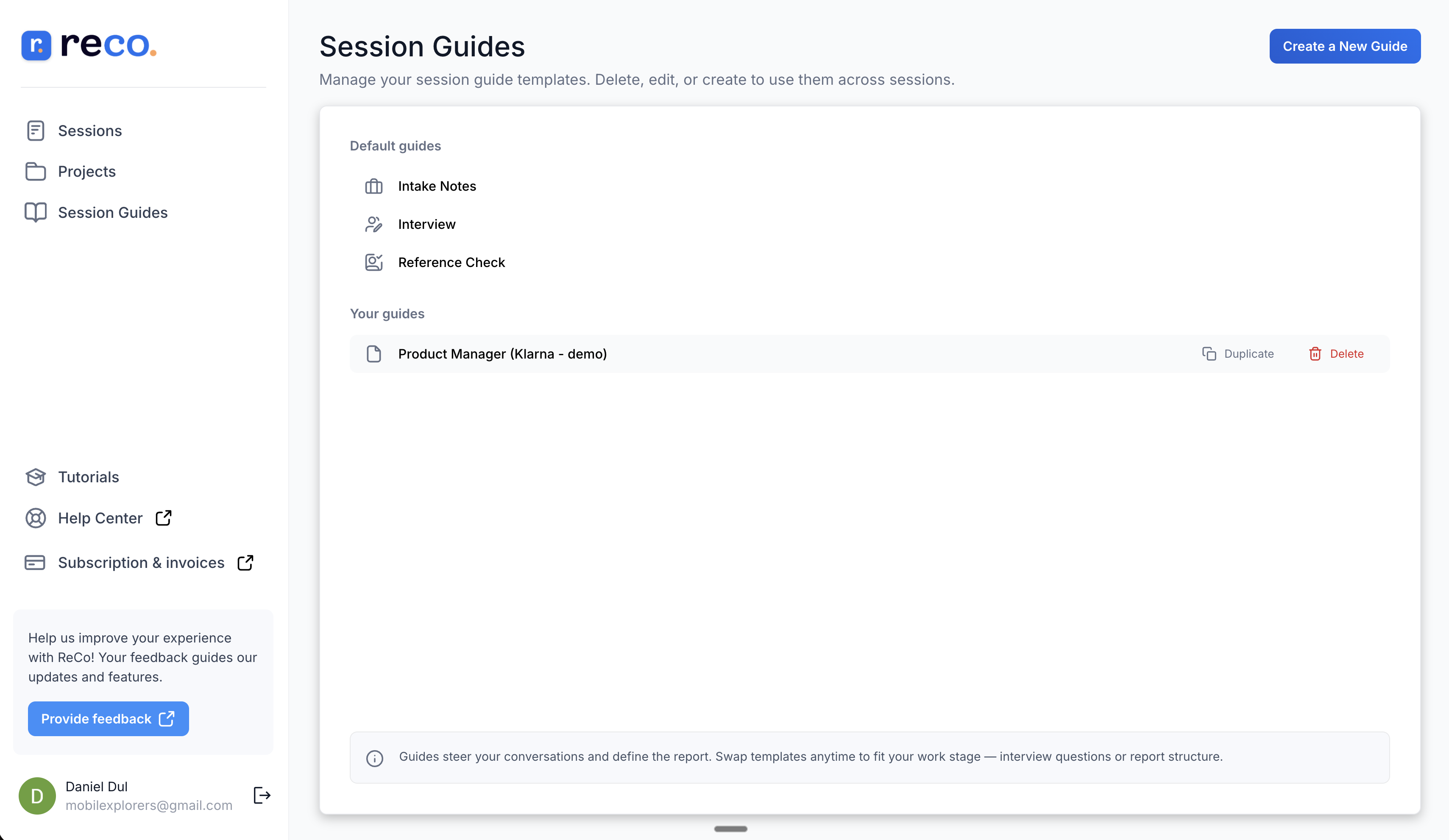
Session Guides management view
Session Guides now have their own management view for creating, editing, and organizing reusable guides in one place.
Clearer Session Guide selection
Labels, navigation, and copy are clearer when selecting and editing Session Guides.
Major
Product milestone
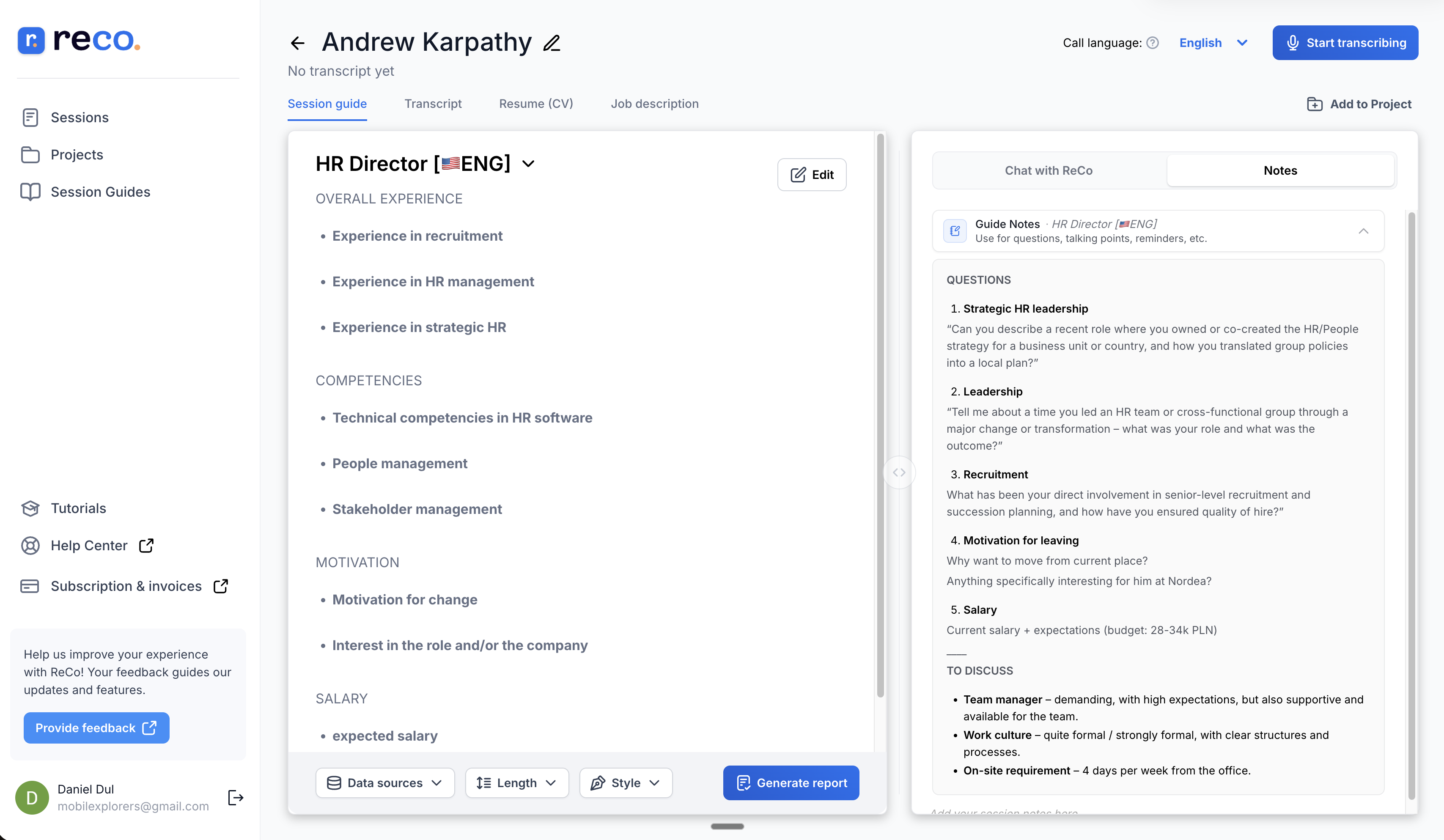
Guide Notes in Session Guides - reusable prep context for every candidate
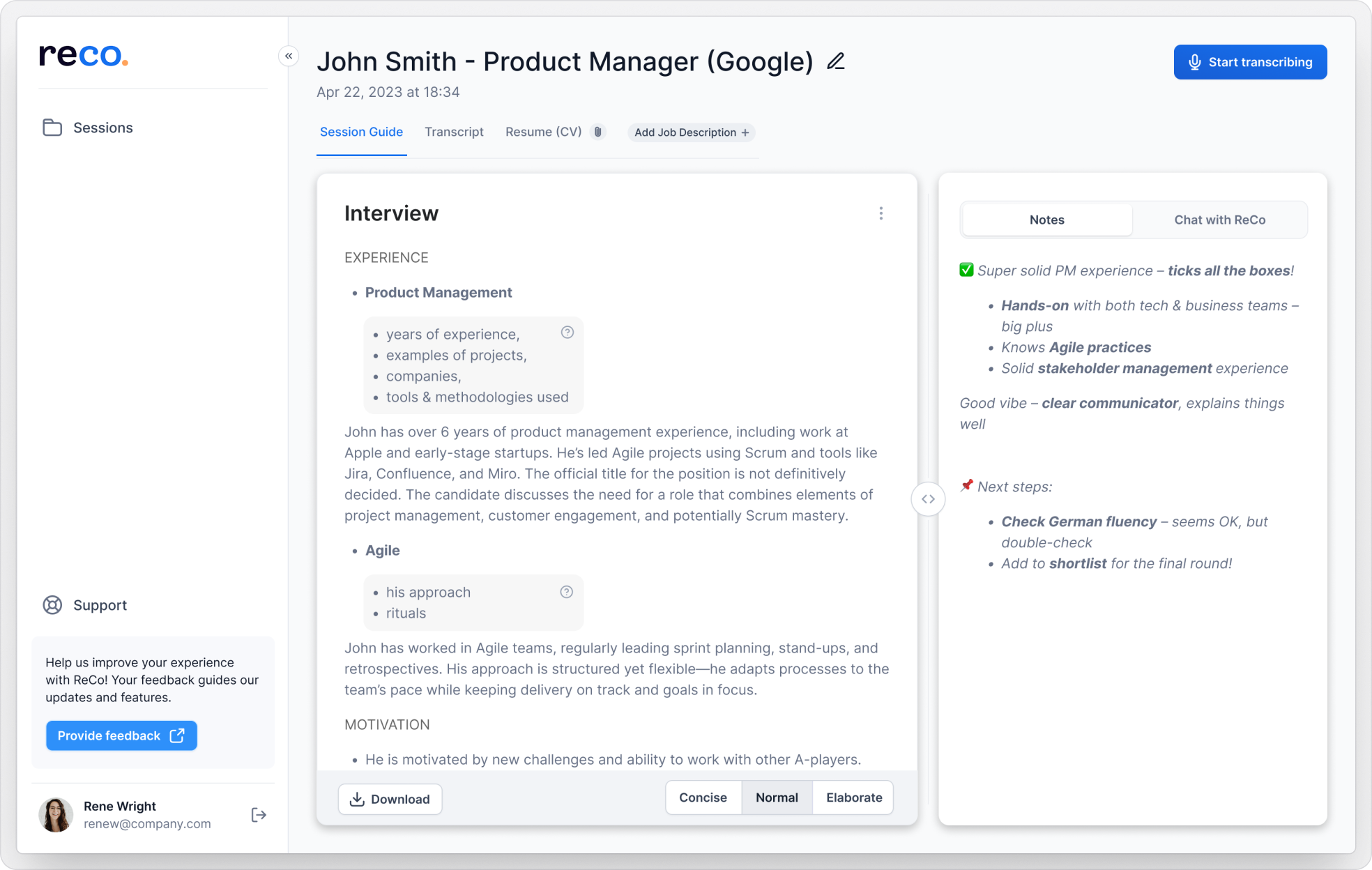
We are introducing Guide Notes - your dedicated space for questions, talking points, and reminders tied to a specific Session Guide.
Instead of rebuilding prep notes before each interview, recruiters can keep role-specific questions and reminders attached to the same Session Guide they use across a hiring workflow.
Guide Notes live in the Notes tab of the right-side panel, so they stay easy to find while you keep interviewing candidates for the same role.
That means the right context stays handy as they continue interviewing candidates for a given role, without jumping between separate docs or searching for the question bank and other key details they want to cover in the interview.
Improved
Workflow and UX upgrades
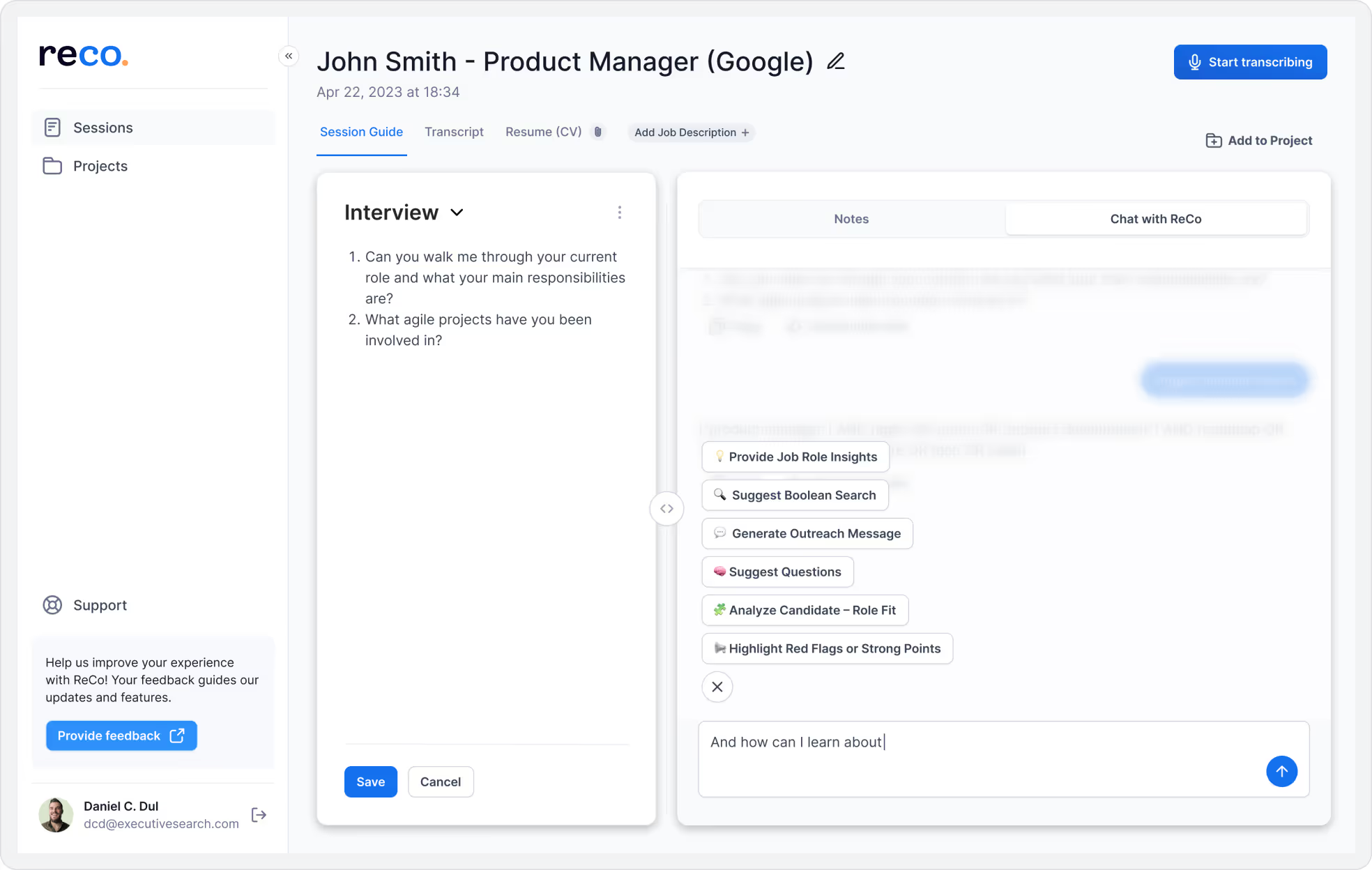
Quick Actions in Session Guides
Suggest Questions and Job Role Insights are now available directly from Session Guides, and Job Description is now available to Chat with ReCo within the same workflow.
Major
Product milestone
Microsoft Teams support - ReCo works where you work
If your interviews happen in Microsoft Teams (browser), ReCo now captures the Transcript.
The same Session workflow you already know is now available on Teams.
Major
Product milestone
Generated Output is even more accurate - facts only, no judgment
Generated Output now stays even more tightly grounded in the Transcript.
ReCo has been accurate from the beginning. This release made Generated Output stricter: less filler, less editorializing, and no unprompted praise.
New
Product capabilities
Report preferences
Report preferences let recruiters configure Generated Output to match how they evaluate candidates, and those preferences persist across Sessions.
Rejection Message Quick Action
After an interview, ReCo can draft a polite rejection message using the Transcript, Resume (CV), and Job Description. The recruiter stays in control and reviews the draft before sending.
Improved
Workflow and UX upgrades
Polished Generated Output structure
Generated Output has tighter formatting and improved section layout throughout.
Faster Chat with ReCo and Quick Actions
Chat with ReCo and Quick Actions now respond noticeably faster during recruiter workflows.
Shorter Job Role Insights and Analyze Candidate-Role Fit outputs
Job Role Insights and Analyze Candidate-Role Fit outputs are more focused and scannable instead of verbose.
"Regenerate" communicates a process
The button now shows an ellipsis to signal that it starts a process instead of producing an instant result.
Fixed
Reliability and polish
Bold and bullet formatting in Notes
Bold and bullet formatting in Notes has been restored.
Major
Product milestone
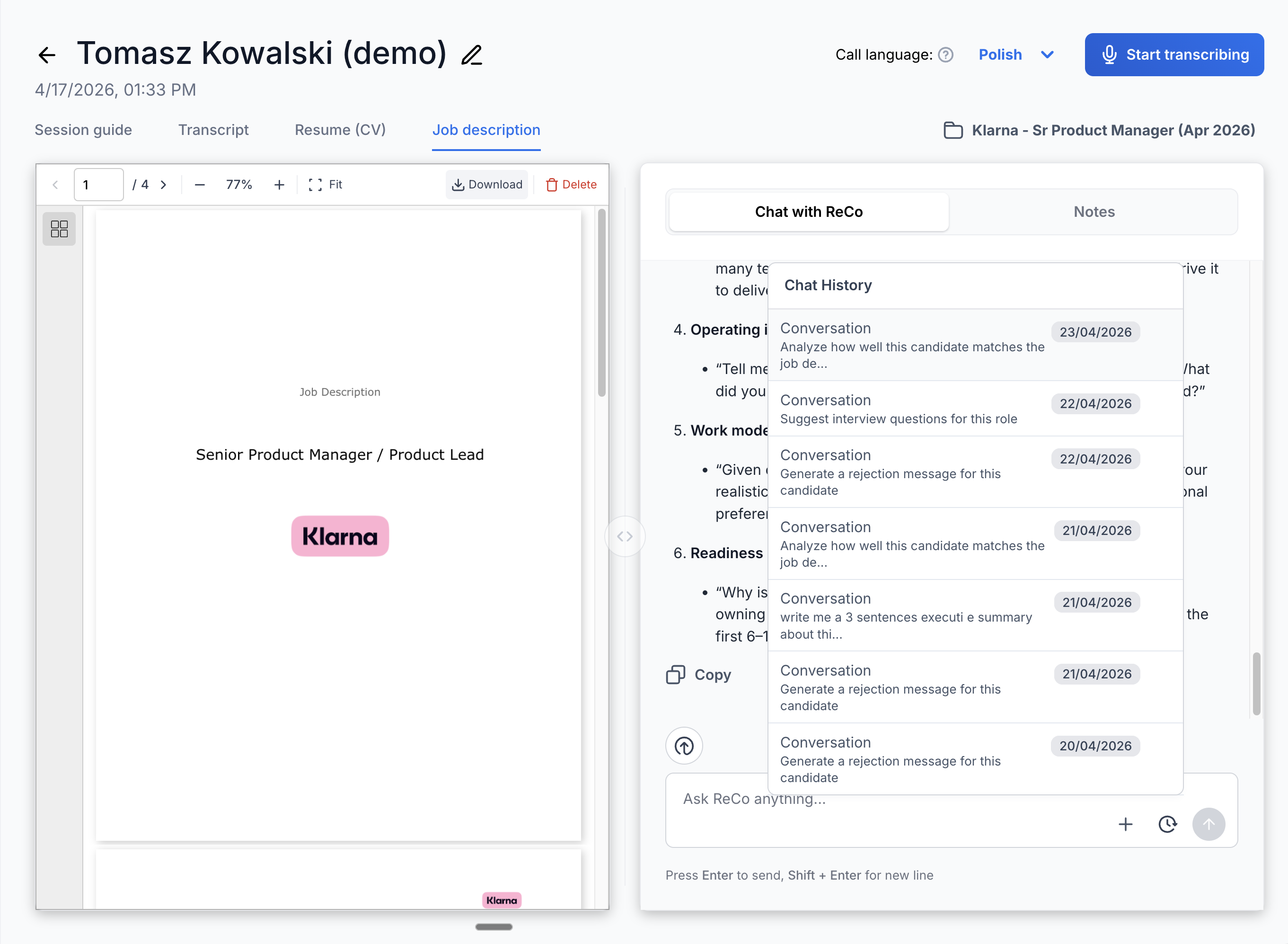
Chat History - every conversation with ReCo is saved
Chat History saves every conversation with ReCo.
Go back to any previous Session, review the exchange, and pick up where you left off.
Major
Product milestone
Session Guides templates across roles
Session Guides templates let users save and reuse interview structures across roles.
Build a strong interview structure once, then apply it every time you hire for a similar role.
Major
Product milestone
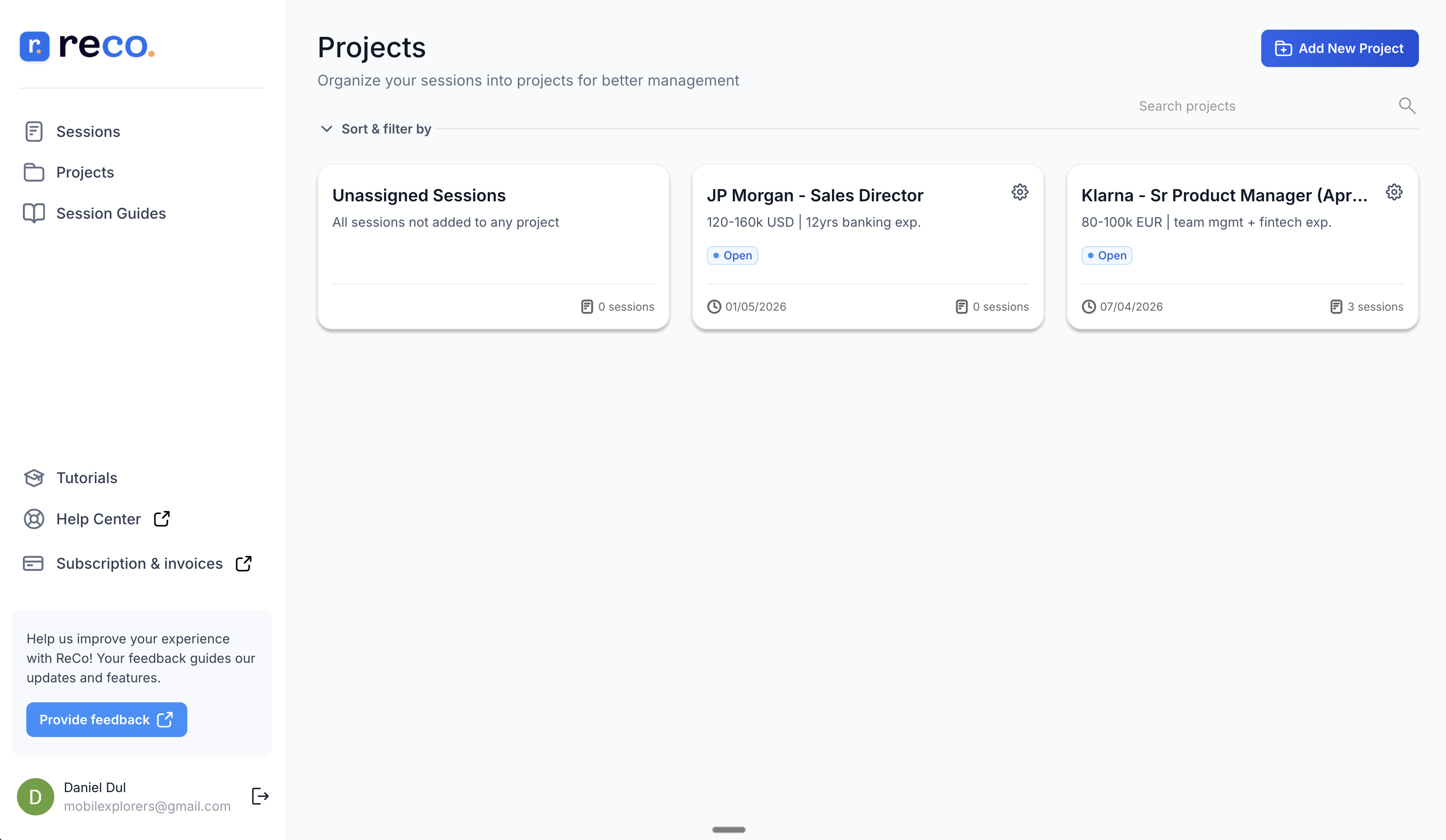
Projects - shared context across many Sessions
Projects group Sessions by hiring initiative.
Use Projects for a hiring round, a team, or a specific role to keep work organized when running multiple searches at once.
New
Product capabilities
Help Center link
A Help Center link is now accessible from within ReCo, alongside a clearer subscription status icon.
Improved
Workflow and UX upgrades
Session Guides template management
Users now have add, edit, and remove control over their Session Guides template library.
Fixed
Reliability and polish
Transcript activation after fresh install
Fixed closed captions not activating correctly immediately after extension installation.
Major
Product milestone
Stability fixes - the things that were quietly frustrating
This release focused on the small workflow interruptions that made Sessions feel less reliable.
Session names, Session Notes, language changes, Chat with ReCo scrolling, and file attachment state are now more stable.
Fixed
Reliability and polish
Session name inline editing
Session name edits now save correctly when edited inline.
Session Notes after tab switching
Session Notes now remain available after switching tabs.
Language changes apply faster
Language changes now apply faster inside the Session workflow.
Chat with ReCo scroll position
Chat with ReCo no longer jumps to the top while the user is working.
Resume (CV) and Job Description attachment state
Chat with ReCo now recognizes when Resume (CV) and Job Description context is already loaded.
Major
Product milestone
Chat with ReCo gets smarter - Quick Actions, Job Description context, and more
Chat with ReCo is now the default tab when users open a Session, and it is significantly more capable.
Quick Actions are expanded by default so they are one click away, and they are also available directly inside Chat with ReCo.
Most importantly, the Job Description is now part of Chat with ReCo context. ReCo understands what role the Session is about, so answers and suggestions are grounded in the actual position, not just the Transcript.
New
Product capabilities
Language selector for Generated Output
Users can choose the output language, which is useful for multinational teams.
Improved
Workflow and UX upgrades
Job Role Insights prompt
Job Role Insights was rewritten for sharper, more relevant role-specific insights.
Analyze Candidate-Role Fit naming
The clearer name better reflects how ReCo compares the candidate against the Job Description.
Suggest Questions limit
Suggest Questions is now capped at 10 to 15 questions, making the output more focused and usable.
Chat with ReCo and Generated Output polish
Chat with ReCo now supports bold formatting and scrolling while generating. ReCo also confirms Resume (CV) and Job Description attachments more clearly.